Travel and Expense
Six Essential Criteria for Comparing Expense Management Software
We’ve helped more than 53,000 businesses of all types and sizes worldwide to modernize and streamline spend management through digitalization and automation. What we’ve learned along the way are the essential criteria they used to evaluate and compare expense management solutions and solution providers.
Refer to the criteria below to more confidently choose a solution that will meet your requirements today and for wherever the future takes you. We also have a handy Comparison Checklist you can use to track your comparison research—make sure to download it.
What are the six essential criteria?
A future-ready evaluation should cover features and capabilities, integration and scalability, security and compliance, user experience and adoption, service and support, and total cost and return on investment.
1. Does the solution have the right features and capabilities?
Compare each platform against the problems identified in your current process. The goal is to reduce manual work, improve accuracy, strengthen oversight, and give employees a simpler way to complete expense tasks.
Which expense management features are essential?
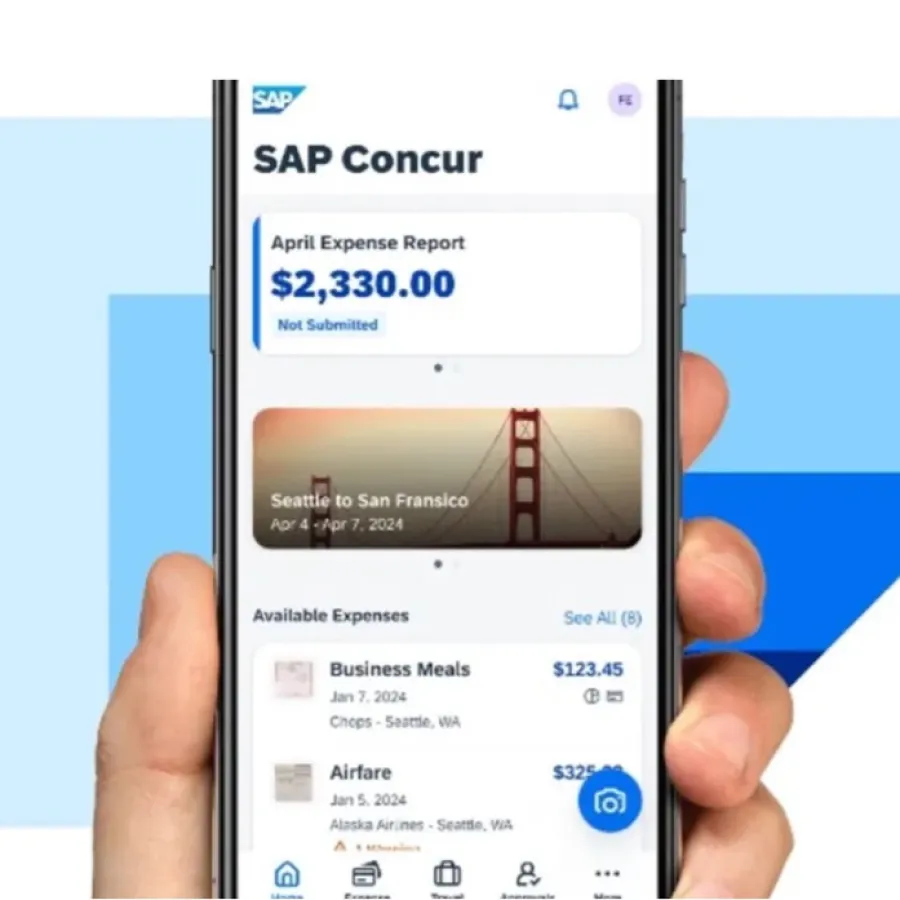
- A native mobile app for creating, submitting, and approving expense reports
- Advanced optical character recognition to capture receipt data accurately
- Automated expense reporting, categorisation, receipt matching, and approval notifications
- Automated import and categorisation of corporate and purchasing-card transactions
- Custom audit rules plus AI-assisted fraud and error detection
- Dashboards for companywide spend visibility and customisable analytics
2. Will the software integrate and scale?
IT teams need to know whether a solution can exchange data reliably with existing systems. Finance teams need confidence that it can support rising transaction volumes, additional entities, and changing business requirements without creating new manual work.
What integration and scalability questions should you ask?
- Does it connect with ERP, accounting, HR, payroll, banking, card, and travel systems?
- Are standard connectors and APIs available?
- Can data move automatically without duplicate entry?
- Can the platform support more users, entities, currencies, and countries?
- Can workflows, policies, and approval rules change as the organisation grows?
Learn about integrations for SAP Concur solutions and what else is possible with the SAP Concur solutions ecosystem.
3. Does the solution protect data and support compliance?
Expense platforms handle sensitive employee, payment, and company information. Evaluate the provider’s security practices, access controls, data governance, audit trails, and ability to support regulatory, tax, and policy requirements across relevant markets.
- Role-based access and approval permissions
- Secure data storage and transmission
- Documented security and privacy controls
- Configurable expense policies and audit rules
- Traceable records for internal and external audits
- Support for relevant tax and regulatory requirements
4. Is the employee and approver experience easy to use?
Even a capable platform will underperform if employees avoid it or managers cannot approve work efficiently. Test common journeys from receipt capture through reimbursement, including mobile use, accessibility, notifications, and the amount of training required.
What indicates a strong user experience?
- Fast receipt capture and minimal data entry
- Clear policy guidance during submission
- Simple mobile and desktop workflows
- Timely approval notifications
- Transparent reimbursement status
- Consistent experiences for employees, managers, and finance teams
5. What implementation, service, and support are available?
The relationship with the solution provider continues after purchase. Compare implementation methods, migration assistance, training, support channels, service responsiveness, partner resources, and the provider’s record of ongoing product investment.
- Clear implementation roles, timelines, and success measures
- Support for configuration and data migration
- Administrator and employee training resources
- Accessible technical and customer support
- A mature partner and integration ecosystem
- A credible roadmap for innovation and product updates
6. What is the total cost and expected return on investment?
Licence price is only one part of the decision. Estimate the full cost of implementation, integration, configuration, training, administration, support, and future expansion. Then compare those costs with the value of saved time, faster reimbursements, fewer errors, stronger compliance, and better spend visibility.
Which ROI measures should you track?
- Time spent creating, checking, and approving reports
- Receipt, coding, and data-entry error rates
- Average reimbursement cycle time
- Policy exceptions and audit findings
- Administrative and support effort
- Quality and timeliness of spend insights
Expense management software comparison: quick reference
Criterion | What to verify | Expected outcome |
|---|---|---|
Features and capabilities | Mobile, OCR, automation, card feeds, audit controls, analytics | Less manual work and better visibility |
Integration and scalability | Connectors, APIs, data flow, entities, currencies, countries | A connected platform that grows with the business |
Security and compliance | Access controls, privacy, audit trails, policy and tax support | Lower risk and stronger governance |
User experience | Ease of capture, submission, approval, and status tracking | Higher adoption and faster processing |
Service and support | Implementation, training, support, ecosystem, roadmap | A more reliable deployment and ongoing operation |
Total cost and ROI | Full lifecycle cost and measurable business benefits | A defensible, value-based investment decision |
How should you run the final software comparison?
- Define current pain points and required outcomes.
- Separate must-have capabilities from optional features.
- Collect requirements from finance, employees, managers, IT, HR, security, and leadership.
- Score every provider against the same six criteria.
- Use demonstrations or trials to test real workflows and integrations.
- Validate implementation effort, support commitments, total cost, and measurable ROI.
Putting it all together: how to choose the right expense management solution
The best expense management software should solve today’s process problems without limiting tomorrow’s plans. A structured comparison of capability, connectivity, security, usability, provider support, and total value helps organisations select a solution that employees will adopt and finance teams can rely on.
FAQs
1) What features should expense management software include?
Core capabilities include mobile expense reporting, receipt capture with OCR, automated categorisation and approvals, card transaction imports, custom audit rules, fraud and error detection, and spend dashboards.
2) Why is integration important when choosing expense software?
Integration reduces duplicate entry and allows expense data to move consistently between finance, HR, banking, card, travel, and other business systems.
3) How do you evaluate whether a platform can scale?
Check whether it can support increasing users and transactions, additional entities and countries, multiple currencies, changing policies, and new integrations without major redesign.
4) What costs should be included in an expense software comparison?
Include licensing, implementation, integration, configuration, migration, training, administration, support, and future expansion—not only the advertised subscription price.
5) How can you improve adoption of a new expense platform?
Involve users early, test real submission and approval journeys, minimise data entry, provide clear training, and select a mobile-friendly system that gives employees immediate guidance and status visibility.